Brooklyn Heights Locksmith & Security Service Team
Local locksmith team
May 14, 2026 12 min read
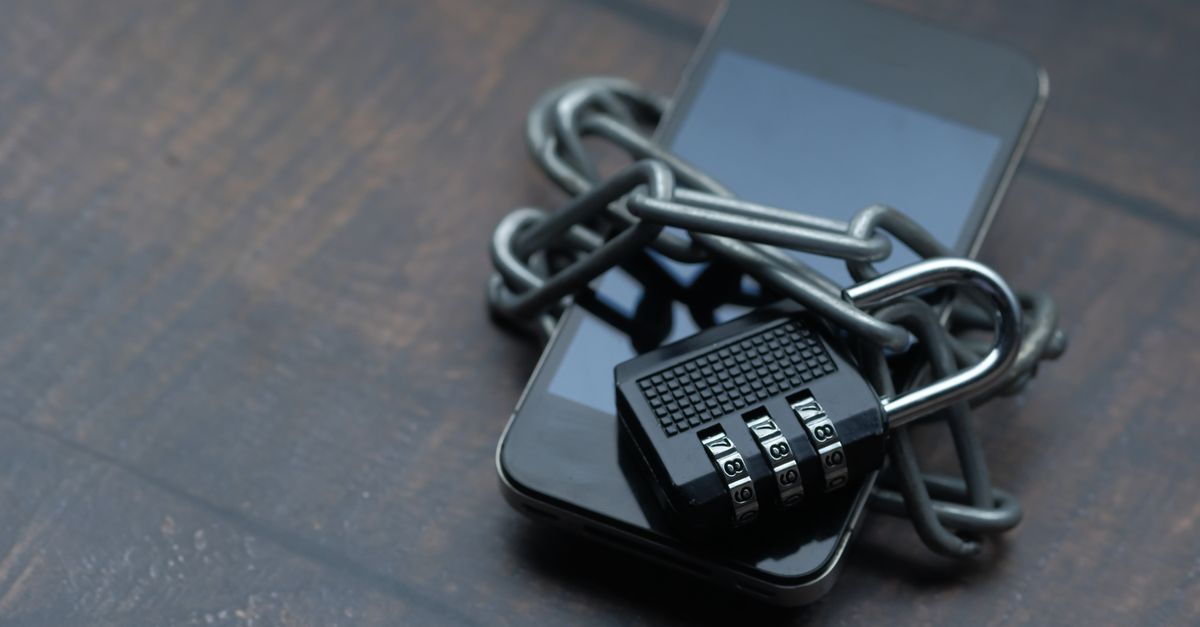
Your smart lock was supposed to make life easier — no fumbling for keys outside your brownstone on Remsen Street, no worrying whether you locked up before your commute. But now it's unresponsive, blinking in a pattern you don't recognize, or just completely dead, and you're standing in the hallway wondering what went wrong. Before you panic or start searching for a replacement, know this: the vast majority of smart lock failures have a simple fix you can handle in under ten minutes.
This guide walks you through the most common causes of a non-responding smart lock — dead batteries, lost Wi-Fi or Bluetooth pairing, corrupted firmware, and mechanical issues — and gives you concrete steps to try right now. We'll also tell you honestly when the problem is beyond a DIY fix and it's time to call a trained locksmith. Brooklyn Heights Locksmith and Security handles smart lock installation, mortise lock upgrades, rekeying, and emergency lockouts across Brooklyn 24 hours a day, seven days a week. If you get to the end of this guide and nothing has worked, call us at 718-841-7588 and we'll get someone to your door.
## Start Here: The Battery Is the Culprit More Often Than You Think
Smart locks are remarkably power-hungry compared to the passive deadbolts they replace. A set of AA or 9-volt batteries can drain faster than expected, especially in winter when Brooklyn temperatures drop and cold weather reduces battery output by as much as 20 percent. Most locks will flash a low-battery LED or send an app notification before dying completely, but those warnings are easy to miss. The fix is straightforward: replace all batteries at once with fresh alkaline cells from a known brand — don't mix old and new, and don't use rechargeable batteries unless your lock's manual specifically allows it. After swapping, hold the batteries in for a full 30 seconds before the lock initializes. If your lock has an external 9-volt terminal (a small set of contacts on the keypad face), you can use a 9-volt battery to provide just enough juice to enter your code and get inside even when the internal pack is dead.
If fresh batteries don't bring the lock back to life, check the battery contacts inside the compartment for corrosion — a greenish-white buildup that interrupts the circuit. A pencil eraser or a cotton swab lightly dampened with white vinegar can clean mild corrosion in seconds. Dry the contacts thoroughly before reinserting batteries. If the lock still doesn't respond, the problem has moved beyond the power supply and you need to work through the connectivity and reset steps below.
## Connectivity Fixes: Wi-Fi, Bluetooth, and the Bridge Problem
Most modern smart locks — whether you've got a smart lock door knob style, a deadbolt, or a mortise smart lock — communicate through Bluetooth directly to your phone, through a bridge or hub that connects to your home Wi-Fi, or both. When the lock stops responding to your app but the keypad still works, nine times out of ten the issue is network connectivity rather than the lock hardware itself. Start by closing the lock's app completely and reopening it. If that doesn't help, toggle your phone's Bluetooth off and back on, then move within arm's reach of the lock before trying again — Bluetooth range through thick Brooklyn brownstone walls can be surprisingly limited.
If your lock uses a Wi-Fi bridge or a smart home hub, unplug the bridge for 30 seconds and plug it back in. Check that your router hasn't switched to a 5GHz-only channel; many smart locks only support 2.4GHz networks. Log into your router settings and confirm the 2.4GHz band is enabled and that the bridge is connected to it. If your internet service went down and came back up, the bridge may need to re-pair: consult the lock app's device settings for a reconnect or re-add option. For August smart lock installation setups specifically, the August Connect bridge is a common failure point after router reboots — re-pairing it through the app usually resolves the issue in under two minutes.
## Factory Reset Steps and When to Use Them — Mortise Lock Included
If power and connectivity checks haven't solved the problem, a factory reset is your next move. This wipes all stored user codes, access schedules, and app pairings, returning the lock to its out-of-box state — so only use it when you've exhausted other options. The exact reset method varies by model: most deadbolt-style locks have a small pinhole button on the interior assembly that you press and hold with a paperclip for 10 to 15 seconds until you hear a confirmation beep or see a specific LED color. Smart lock door knob models often place the reset button inside the battery compartment. For a mortise lock smart lock, which integrates directly into the door's edge rather than sitting on the face, the reset mechanism is usually on the interior escutcheon plate — check your manual, because triggering the wrong sequence can lock the bolt in the extended position.
After a reset, re-add the lock to your app as a new device and set up at least two user codes before relying on it again. If the lock refuses to complete the pairing process after a reset — cycling through lights or beeping in error patterns — there's likely a firmware issue or a hardware fault. At that point, the lock may need a firmware recovery that requires a direct cable connection, or the internal circuit board may have failed. This is the moment to call in a professional. Our team handles smart lock installation service calls for exactly this scenario — we carry common replacement modules and can often restore your lock in a single visit rather than waiting days for parts to ship.
## Mechanical Issues: When the Smart Lock Has a Dumb Problem — Door Knob, Mortise Lock, and Deadbolt
Electronics aside, smart locks still have physical moving parts, and those parts wear out or shift out of alignment. A bolt that extends but doesn't retract fully is a classic sign that the door has settled — common in Brooklyn's older wood-frame and brownstone buildings, where humidity changes cause frames to expand and contract seasonally. If you can see daylight or feel a draft around your door edge, the frame has probably shifted enough to put friction on the bolt. Try manually operating the lock with the thumbturn while pushing or pulling the door slightly to see if alignment is the issue. A misaligned strike plate is a fast fix for an experienced locksmith and often costs far less than replacing the lock entirely.
Mortise locks deserve special attention here. A mortise lock is installed inside a deep rectangular pocket cut into the door's edge, making it structurally stronger and more tamper-resistant than a surface-mounted deadbolt — but also more complex to service. When a mortise smart lock stops responding, it's sometimes because the internal case has shifted, a tailpiece has come loose, or the connecting rod between the electronic motor and the mechanical bolt has worn through. Forcing a mortise lock that's stuck can crack the door stile in an older door. If you suspect a mechanical fault in a mortise lock, stop forcing it and call a skilled technician. Brooklyn Heights Locksmith and Security's team works on mortise lock hardware daily and can diagnose a mechanical fault without damaging your door.
If you need help right now — whether it's a dead smart lock, a stuck bolt, or a full lockout — call 718-841-7588. We're available around the clock and can usually reach most Brooklyn neighborhoods, from Brooklyn Heights to Flatbush and Crown Heights, within the hour.
## When It's Time to Call a Locksmith: Emergency Locksmith Situations, Rekeying, and Full Replacements
There's a clear line between a DIY fix and a job that needs a trained locksmith. Call a professional when: the lock won't respond after a fresh battery install and a factory reset; the bolt is extended and you cannot enter your home; the keypad is physically damaged; you've bought a new lock and need a proper smart lock installation so the door prep and alignment are done correctly the first time; or you've moved into a new place and want to rekey a smart lock so previous tenants or owners no longer have access. Rekeying a smart lock isn't just about deleting app users — it means changing the physical key cylinder as well, which requires tools and cylinder pins that locksmiths carry as standard equipment.
Questions about cost come up constantly, and they're fair ones. How much does a locksmith cost in Brooklyn, and how much do locksmiths charge on average for smart lock work? The honest answer is that pricing depends on several factors: the type and brand of lock involved, whether it's a standard deadbolt or a more complex mortise lock, the time of day (emergency locksmith calls outside business hours carry different pricing than scheduled appointments), how far the technician is traveling, and whether any parts need to be sourced on the spot. Brooklyn Heights Locksmith and Security confirms an exact price before any work begins — no surprises on your invoice. If you're wondering how much an emergency locksmith costs near you, the best approach is to call us directly at 718-841-7588 and we'll give you a clear quote over the phone based on your specific situation. Our services include smart lock installation, mortise lock repair and replacement, emergency lockout response, lock rekeying, commercial locksmith work, and much more — all handled by an insured, experienced team that operates 24 hours a day across Brooklyn.
## Our Full Range of Locksmith Services — Brooklyn's Go-To Security Team
Brooklyn Heights Locksmith and Security offers a complete range of residential, commercial, and automotive security services, including: smart lock installation for deadbolts, door knobs, and mortise systems; mortise lock repair and replacement; emergency residential lockout response; rekey smart lock and traditional cylinder rekeying; August smart lock installation and configuration; smart lock door knob installation and upgrade; high-security deadbolt installation; lock bumping and pick-resistant upgrade consultation; master key system design for multi-unit buildings; commercial locksmith services for offices, retail spaces, and warehouses; commercial grade mortise lock installation; access control system installation; keypad and keycard entry setup; safe opening and safe lock repair; car lockout service; broken car key extraction; automotive key programming and replacement; transponder key cutting; ignition repair and replacement; garage door lock and handle repair; sliding door lock installation; window lock installation; door frame and strike plate reinforcement; mailbox lock replacement; storage unit lock installation; and 24-hour emergency locksmith response across all Brooklyn neighborhoods. Whether you manage a single-family home in Park Slope or a multi-unit building near Atlantic Avenue, we have the tools and experience to handle the job correctly the first time.
Frequently asked questions
How much does a locksmith cost in Brooklyn for a smart lock call?+
There's no one-size-fits-all answer because the final price depends on several variables: the type of lock (a standard deadbolt installation differs from a mortise smart lock job), the brand and model of hardware involved, whether the call is during regular hours or an after-hours emergency, travel distance within Brooklyn, and whether any parts need to be supplied on the spot. Brooklyn Heights Locksmith and Security always confirms an exact quote before starting any work, so you know the full price up front. Call 718-841-7588 for a no-obligation phone quote based on your specific situation.
Can I rekey a smart lock myself, or do I need a locksmith?+
Deleting user codes and guest access through your lock's app is something you can absolutely do yourself. But a full rekey — which means physically changing the key cylinder so that old keys no longer work — requires disassembling the lock, swapping out the pin tumbler stack, and re-assembling everything to spec. It's a job that takes the right tools and familiarity with the specific lock body, especially on mortise lock models where the cylinder is integrated into a larger case. A trained locksmith will have your lock rekeyed correctly in a single visit, and you'll know the job is done right.
My smart lock is stuck in the locked position and I can't get in. What should I do?+
First, try the external 9-volt backup terminal if your lock has one — press the terminals against a fresh 9-volt battery to provide emergency power, then enter your code. If that doesn't work, check whether there's a physical key override slot on the lock face and use your spare key. If neither option gets you inside, do not attempt to force the door or tamper with the lock mechanism — you risk damaging the door, the frame, or the lock itself. Call Brooklyn Heights Locksmith and Security at 718-841-7588 any time of day or night. We're an emergency locksmith service and respond to lockouts across Brooklyn around the clock.
How do I know if I need a new smart lock or just a repair?+
A lock that fails after a battery swap and a factory reset, shows physical damage to the keypad or bolt assembly, or has a cracked or stripped mortise lock case typically needs replacement rather than repair. However, many issues that seem like hardware failure — misalignment, connectivity loss, corrupted firmware, worn mechanical parts — can be resolved without buying a new lock. The most reliable way to know is to have a qualified technician diagnose it in person. Brooklyn Heights Locksmith and Security can assess your lock, explain exactly what's wrong, and give you an honest recommendation on whether repair or a new smart lock installation makes more sense for your situation.